Here is some software I have written:
Contents
| Windows |
| Sia |
The serious mind mapping tool |
| Linux |
| Additions to cd, ls and grep! |
| bookmarker |
Bookmark and jump to directories |
lsd
|
List directories
|
| esreg |
Search and replace regular expressions in files |
| fsreg |
Search and replace fixed strings in files |
| gred |
Delete lines matching a regular expression from files |
| commas |
Print numbers with commas, e.g. 8,765,321 rather than 8765321 |
| fis |
Quickly search souce code files |
| |
| proc-surfer |
Viewer for Linux system internals, cross-references
processes, sockets, files, pipes, users and graphically displays disk
usage |
| Miscellaneous Scripts |
| HtmlTableOfContents |
Inserts a table of contents
into a HTML file |
The gtutils package: Additions to cd, ls
and grep
Download
GtUtils .deb (For Ubuntu/Debian v2.1,
and install with sudo dpkg -i gtutils_2.1_all.deb
Download
GtUtils .rpm (For Fedora/Mageia/openSUSE/CentOS) v2.1,
and install with rpm -i gtutils-2.1-0.noarch.rpm
bookmarker
Bookmark and jump to directories.
~/Documents$mark docs
docs -> /home/user/Documents
Bookmark the current directory as 'docs'.
/tmp$to docs
~/Documents$
Change directory to 'docs'.
/tmp$to p final 25
~/Projects/Final Versions/Version-25$
Change directory to "Final Versions/Version-25" inside the directory bookmarked as 'p'.
to does fuzzy matching on sub-directory names.
~/Documents$sd excit
~/Documents/My Exciting Stories$
Change directory to "My Exciting Stories" inside the current directory.
Download
GtUtils
.deb | Download
GtUtils .rpm
(or just mark and bookmarker_to.sh. .
bookmarker_to.sh
in to ~/.bashrc to enable the to and sd commands.
lsd
List directories
$lsd
Desktop Downloads Pictures Templates
Documents Music Public Videos
List directories
$lsd -la
drwxr-xr-x 16 user user 4096 Feb 25 22:09 .
drwxr-xr-x 3 root root 4096 Feb 25 21:49 ..
drwx------ 16 user user 4096 Feb 25 22:51 .cache
drwx------ 14 user user 4096 Feb 25 22:02 .config
drwxr-xr-x 2 user user 4096 Feb 25 22:01 Desktop
drwxr-xr-x 2 user user 4096 Feb 25 22:01 Documents
drwxr-xr-x 2 user user 4096 Feb 25 22:01 Downloads
...
List all directories, including hidden directories, in long format.
Download
GtUtils .deb | Download GtUtils
.rpm
(or just lsd)
esreg
Replace text matching a regular expression.
$esreg -w "v[0-9]+\.[0-9]+\.[0-9]+" "v2.0" --
*.py
updated MainApp.py
updated HelpDialog.py
Replace the version strings, e.g. "v1.0.6" with "v2.0" in all .py
files.
The search string is as per egrep(1). The replacement string may
contain \g<0>, the matched string, \g<1>
the first matched regex (group) etc.. It may also contain \n
newline, \t, tab etc... a per printf(1).
Some of the options:
| -i |
ignore case |
| -w |
whole words |
| -v |
verbose
|
Download
GtUtils .deb | Download GtUtils
.rpm
(or just esreg)
fsreg
Replace text matching a fixed string.
$
fsreg -v -w oldMethod newMethod -- *.py
| Main.py:24 |
def
oldMethod(self, key): |
| |
def
newMethod(self, key): |
| Main.py:48 |
value = self.oldMethod(key) |
|
value = self.newMethod(key) |
updated Main.py
Other.py:88
|
main.oldMethod(key)
|
|
main.newMethod(key) |
updated Other.py
$echo $PATH | fsreg : '\n'
/usr/sbin
/usr/bin
/sbin
/bin
Replace the $PATH : separators with newlines for readability
Some of the options:
| -i |
ignore case |
| -w |
whole words |
| -v |
verbose
|
Download
GtUtils .deb | Download GtUtils
.rpm
(or just fsreg)
gred
commas
Add commas to large numbers for readability
$
cat /proc/meminfo | commas
MemTotal:      8,035,136 kB
MemFree:       2,560,560 kB
MemAvailable:  5,813,908 kB
Buffers:       1,544,696 kB
Cached:        1,958,712 kB
Download GtUtils .deb | Download GtUtils.rpm
(or just commas)
fis
Quickly search source code files
$fis MyClass
MyClass.py:24 class MyClass:
Another.py:48 mc = MyClass(args)
test/TestMyClass:303 ac = MyClass(args)
Search for 'MyClass' recursively, in source files.
Gaps between command line arguments matches whitespace.
Some of the options:
| -a |
search all files |
| -i |
ignore case |
| -w |
whole words |
| -l |
local dir, not recursive
|
Download
GtUtils .deb | Download GtUtils
.rpm
(or just fis)
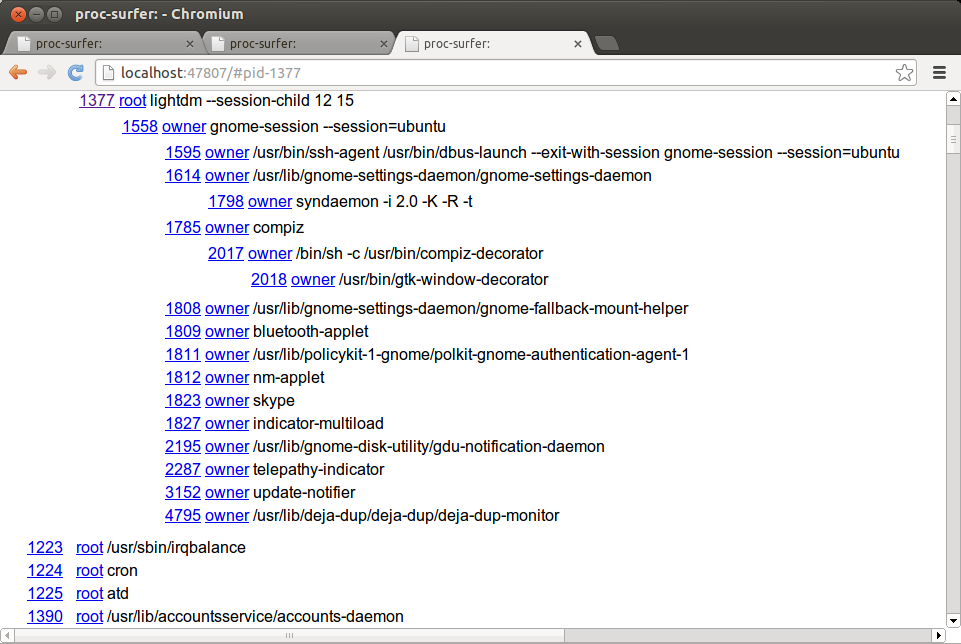
proc-surfer
proc-surfer [-p|--port port] [--remote]
Designed for Linux kernels 2.4-4.4.0 (Ubuntu 16.10 LTS), mileage may
vary with other Linuxes.
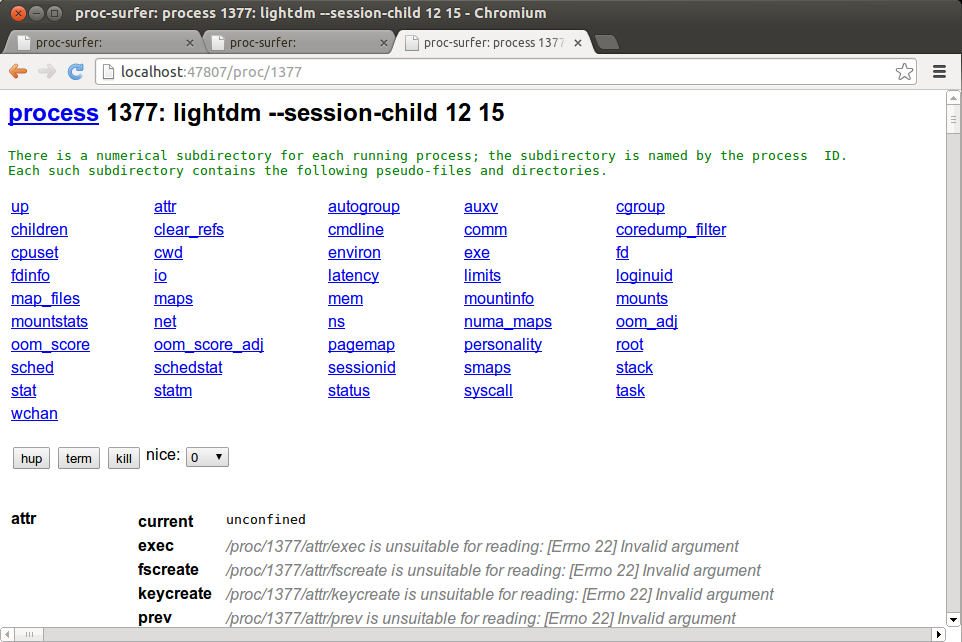
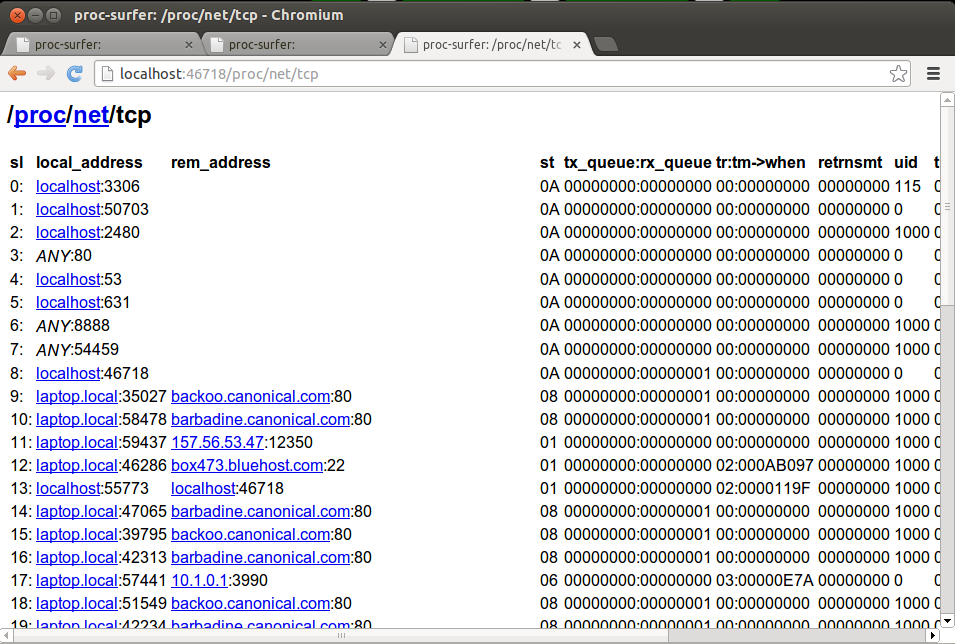
Starts a web server which allows one to browse the current
internal state of your computer, showing processes, files, sockets,
pipes, users, groups, CPU, memory and disk usage. These resources are
linked so one can, for example, see which process has a given TCP connection open
or see which process is using all of the CPU.
Proc-surfer starts the web browser to browse itself.
Download
v1.0.32
Miscellaneous Scripts
HtmlTableOfContents.py
HtmlTableOfContents.py file.html
Inserts a table of contents into an html file, that is one link
for each <h1>, <h2> etc.... Inserts the table of contents
between the comments <!--toc--><!--end toc-->.
Requires Python to be installed.
Download
v1.3
Back to my homepage.